
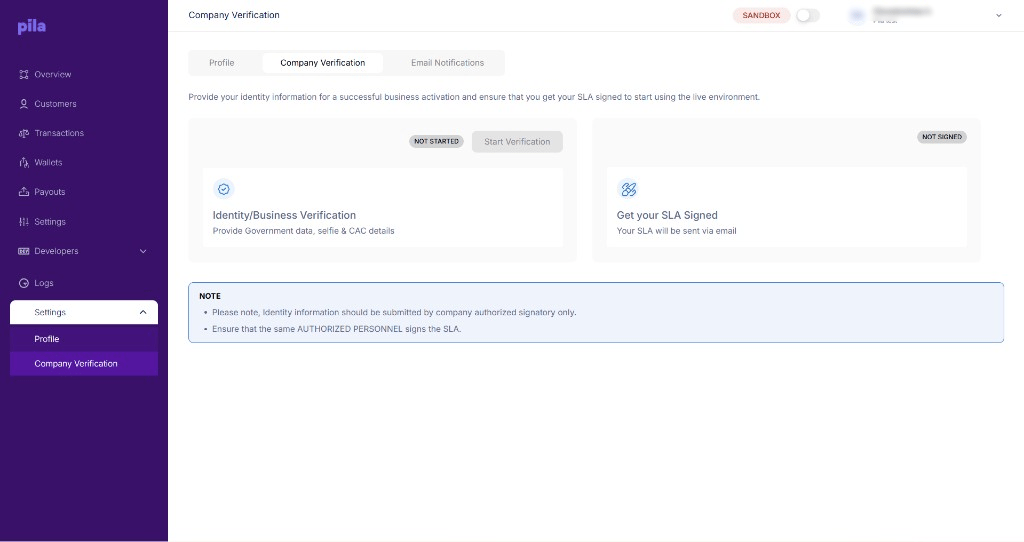
The Company Verification tab
How to complete it
1
Open the Company Verification tab
From Settings at the bottom of the sidebar.
2
Start verification
Select Start Verification and submit the signatory’s government data, selfie and CAC details.
3
Sign the SLA
Watch your inbox for the SLA and have the same signatory sign it.
4
Switch to live
When both steps are complete, switch the top bar to live.
After you go live
Going live changes more than the badge in the top bar.1
Swap your API credentials
Live keys are separate from sandbox keys. See Environments.
2
Re-subscribe your webhooks
Sandbox subscriptions do not carry over. See Webhooks.
3
Fund your balance
Live payouts settle from real funds. See Fund your wallet.
4
Set your PIN and settlement account
See Business settings.