
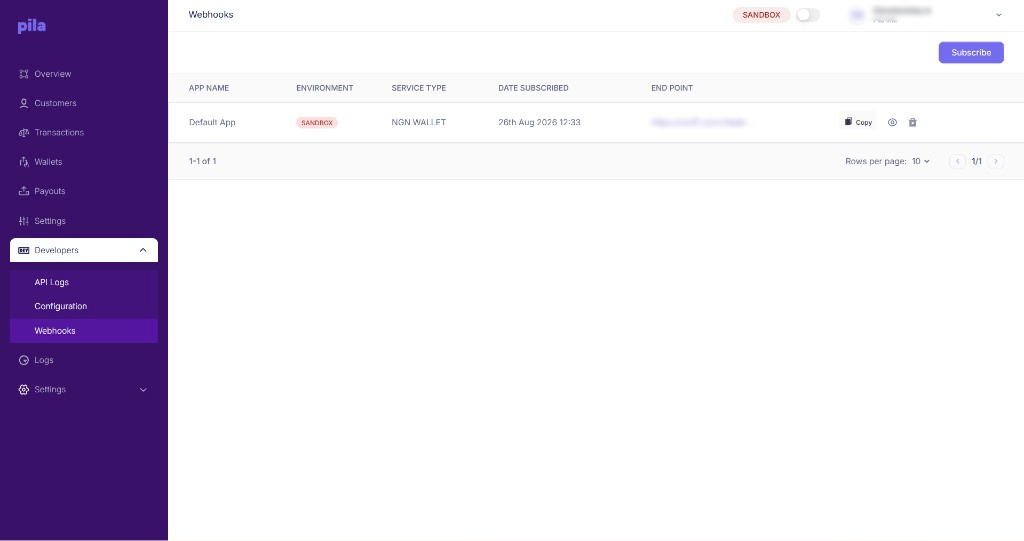
Webhook subscriptions
NGN WALLET), date subscribed and endpoint.
Subscribe
1
Select Subscribe
At the top right of the Webhooks page.
2
Choose the app and service
Pick which app and which service you want events for, and enter your endpoint URL.
3
Save
The subscription appears in the list.
Subscriptions are per mode. Sandbox hooks do not carry over to live — re-subscribe after you switch the top-bar toggle.
Webhook details and deliveries
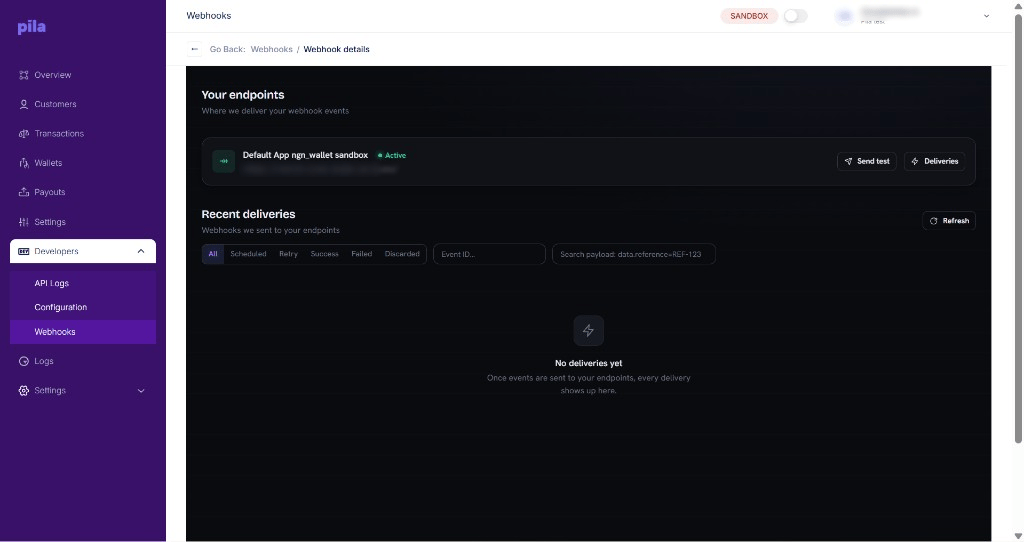
Endpoint details and recent deliveries
- Send test sends a test event so you can check your server receives it.
- Deliveries opens the delivery history for that endpoint.
data.reference=REF-123. Select Refresh to load new deliveries, and Go Back to return to the list.
Building a reliable endpoint
Verify every event
Verify every event
Check the
x-pila-signature header before acting on a payload. An unverified webhook is untrusted input, and a forged deposit event your code trusts is a direct path to losing money. See Webhook signatures.Return 200 quickly
Return 200 quickly
Acknowledge first, process in the background. A slow endpoint looks like a failed one and will show up under Retry.
Handle duplicates
Handle duplicates
The same event can arrive more than once. Key your processing on the transaction or event identifier so a repeat delivery is a no-op.
Be reachable over HTTPS
Be reachable over HTTPS
A localhost URL will not receive anything. Use a tunnel while developing.