
Everything under Developers is per mode. Sandbox and live each have their own keys, apps and webhooks.
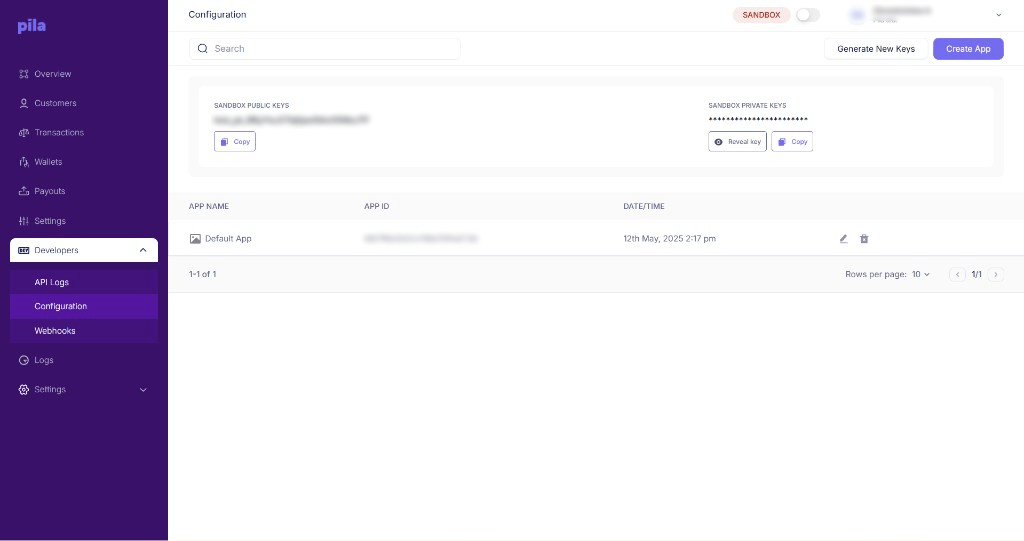
The Configuration page
API keys
The top card shows your public key and private key for the current mode. Sandbox public keys start withtest_pk_.
- Select Copy under a key to copy it.
- The private key is hidden. Select Reveal key to show it, or Copy to copy it without showing it.
- Select Generate New Keys to replace your keys. Update your integration straight away, because calls using the old keys will stop working.
Apps
Below the keys, the apps table lists each app with its app name, app ID and date/time created. Every business starts with a Default App.1
Create an app
Select Create App — for example, one per product you run.
2
Rename or delete
Use the pencil icon to rename an app, or the bin icon to delete it.
AppId header on every request. See Authentication.
Next
Webhooks
Have Pila notify your server when money moves.
API logs
Every call your apps have made.