
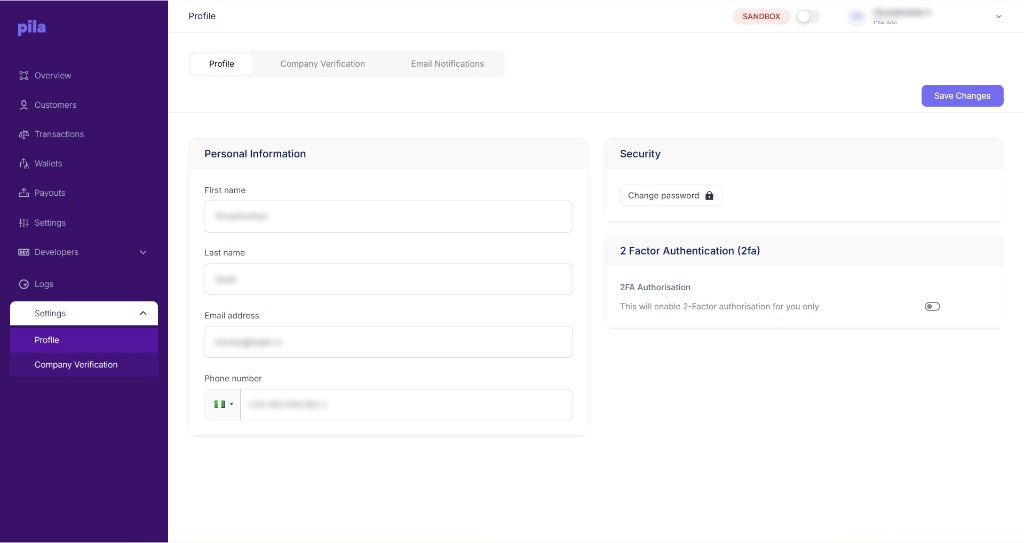
The Profile tab
Personal information
1
Edit your details
Under Personal Information, update your first name, last name, email address or phone number.
2
Save
Select Save Changes at the top right.
Security
Under Security, select Change password to set a new password.Two-factor authentication
Under 2 Factor Authentication (2fa), turn on 2FA Authorisation to require a second step when you sign in.2FA applies to your own login only. Each team member turns it on for themselves.
Next
Company verification
The two steps that unlock live access.
Email notifications
Choose who receives balance alerts.