> ## Documentation Index
> Fetch the complete documentation index at: https://api-docs.trypila.co/llms.txt
> Use this file to discover all available pages before exploring further.
# Customers
> Everyone you have onboarded to Pila, with their transactions, wallets and cards in one place.
The Customers page lists everyone you have onboarded to Pila, newest first. Open a customer to see their transactions, wallets and cards together.
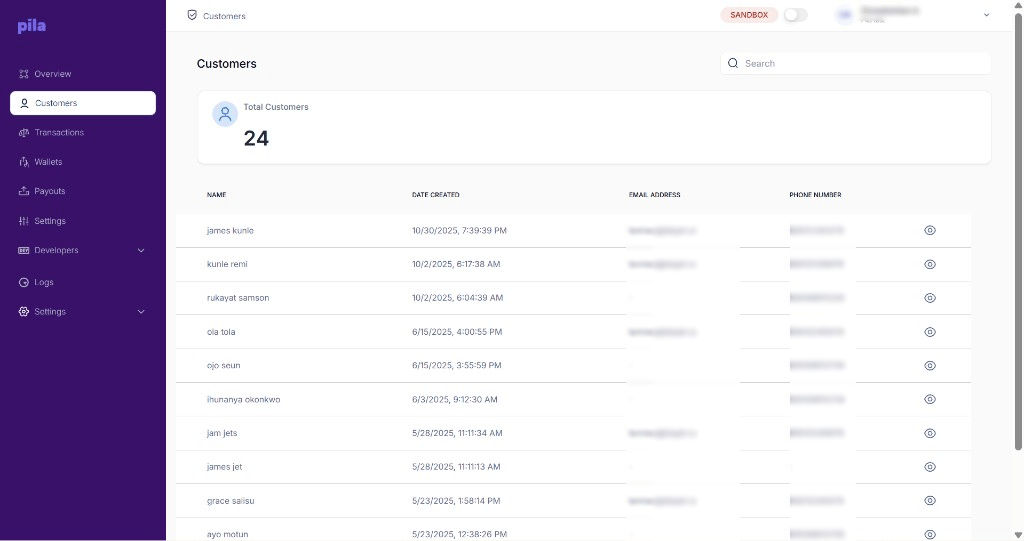 The **Total Customers** card shows how many customers you have. Each row shows the customer's **name**, **date created**, **email address** and **phone number**. A dash means that detail was not provided.
To find a customer:
Type a name, email or phone number into **Search** at the top right.
Select the eye icon at the end of the row.
## Customer profile
The profile header shows the customer's name, email and phone number. Three tabs sit below it. Select **Back** to return to the list.
### Transactions tab
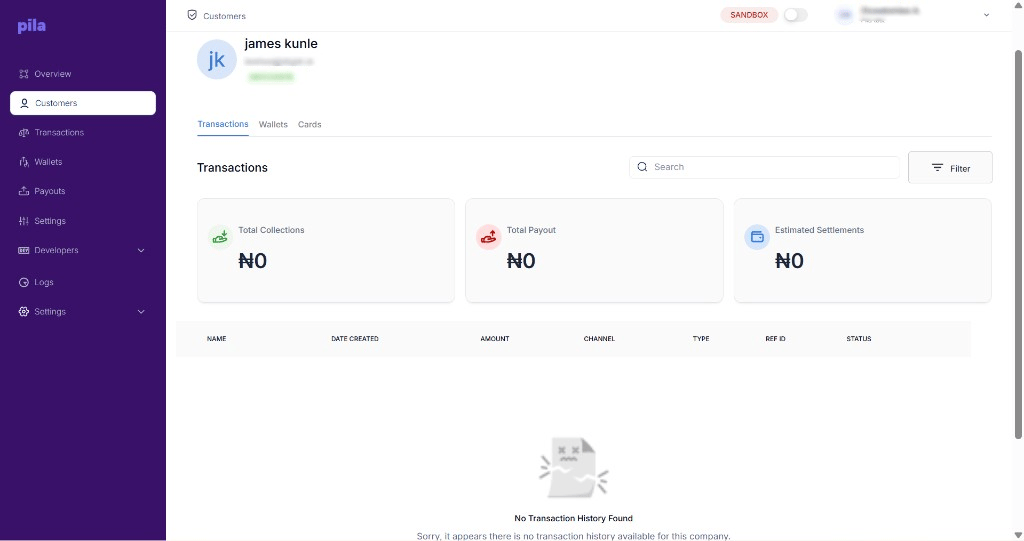
This customer's transactions, with **Total Collections**, **Total Payout** and **Estimated Settlements** cards. Use **Search** and **Filter** to narrow the list. A customer with no activity shows "No Transaction History Found".
The **Total Customers** card shows how many customers you have. Each row shows the customer's **name**, **date created**, **email address** and **phone number**. A dash means that detail was not provided.
To find a customer:
Type a name, email or phone number into **Search** at the top right.
Select the eye icon at the end of the row.
## Customer profile
The profile header shows the customer's name, email and phone number. Three tabs sit below it. Select **Back** to return to the list.
### Transactions tab
This customer's transactions, with **Total Collections**, **Total Payout** and **Estimated Settlements** cards. Use **Search** and **Filter** to narrow the list. A customer with no activity shows "No Transaction History Found".
 ### Wallets tab
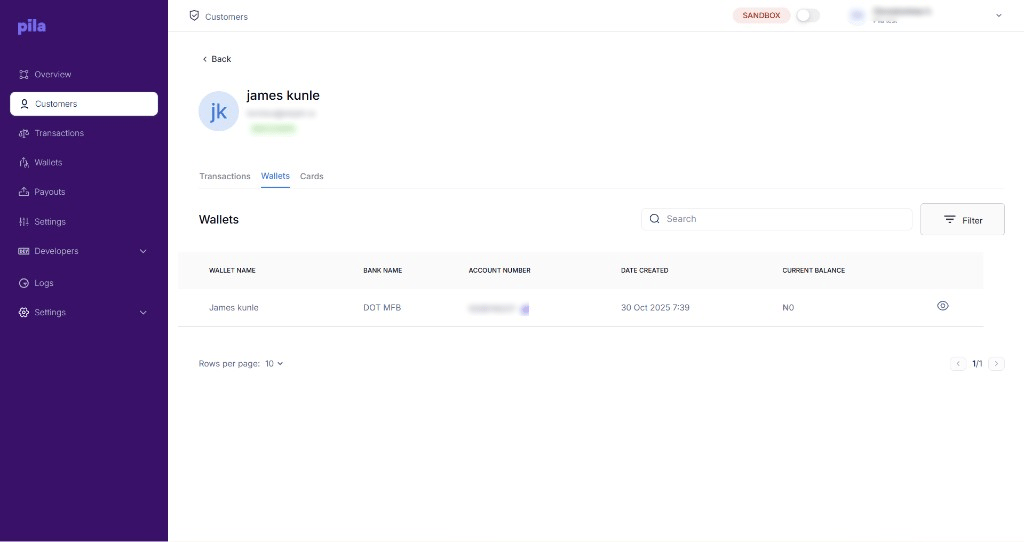
Every wallet (virtual account) issued to this customer, with bank name, account number, date created and current balance. Select the copy icon to copy an account number, or the eye icon to open the wallet.
### Wallets tab
Every wallet (virtual account) issued to this customer, with bank name, account number, date created and current balance. Select the copy icon to copy an account number, or the eye icon to open the wallet.
 ### Cards tab
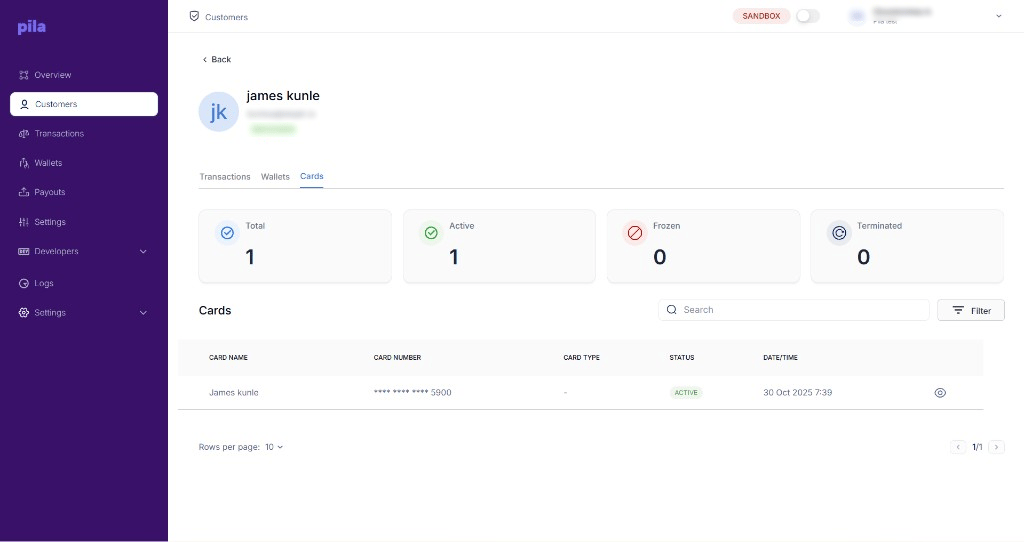
The cards issued to this customer. Each row shows the card name, masked card number (last four digits only), card type, status and date created.
| Counter | Meaning |
| - | - |
| **Total** | All cards ever issued to this customer. |
| **Active** | Cards that can be used. |
| **Frozen** | Cards that are temporarily blocked. |
| **Terminated** | Cards that have been permanently closed. |
### Cards tab
The cards issued to this customer. Each row shows the card name, masked card number (last four digits only), card type, status and date created.
| Counter | Meaning |
| - | - |
| **Total** | All cards ever issued to this customer. |
| **Active** | Cards that can be used. |
| **Frozen** | Cards that are temporarily blocked. |
| **Terminated** | Cards that have been permanently closed. |
 Customer records contain names, email addresses, phone numbers and account numbers. Treat anything you export or screenshot as personal data — do not attach it to support tickets or share it in chat.
## Doing this from the API
| Task | Endpoint |
| - | - |
| Create a wallet for a customer | [Create a wallet](/api-reference/wallets/create-wallet) |
| Read a wallet's balance | [Wallet details](/api-reference/wallets/wallet-details) |
| Issue a card | [Create virtual card](/api-reference/cards/create-virtual-card) |
| List a card's transactions | [Card transactions](/api-reference/cards/fetch-all-transactions) |
This documentation is built and hosted on [Mintlify](https://mintlify.com), a developer documentation platform.
Customer records contain names, email addresses, phone numbers and account numbers. Treat anything you export or screenshot as personal data — do not attach it to support tickets or share it in chat.
## Doing this from the API
| Task | Endpoint |
| - | - |
| Create a wallet for a customer | [Create a wallet](/api-reference/wallets/create-wallet) |
| Read a wallet's balance | [Wallet details](/api-reference/wallets/wallet-details) |
| Issue a card | [Create virtual card](/api-reference/cards/create-virtual-card) |
| List a card's transactions | [Card transactions](/api-reference/cards/fetch-all-transactions) |
This documentation is built and hosted on [Mintlify](https://mintlify.com), a developer documentation platform.